Workflow
Creating Product Mockups with AI
Plan believable context, materials, camera angles, and review checks for product concepts.
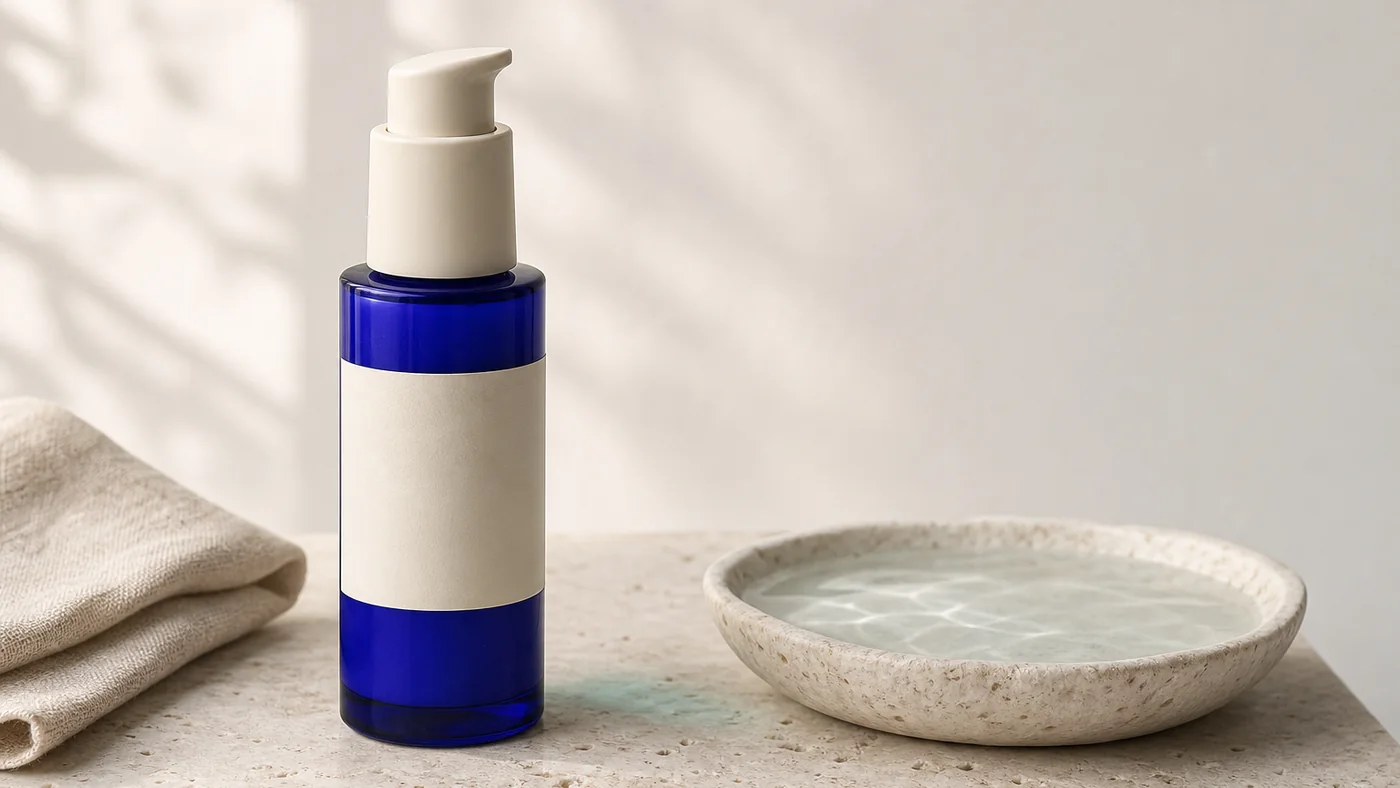
Decide what the mockup must prove
A product mockup can communicate form, material, scale, context, or campaign direction. It rarely needs to prove all five at once. Before generating, write one sentence describing the decision the image should support: “show whether the cobalt bottle feels premium on a natural bathroom shelf,” for example.
That sentence becomes a filter. Details that do not help the decision are optional.
Describe the product like an object
Use physical language rather than marketing language. State shape, size relationship, material, finish, color, and important construction details.
“Premium bottle” is vague. “Short cylindrical cobalt-glass bottle with a matte ivory pump and a small uncoated paper label” gives the model visible constraints.
If exact packaging text or geometry matters, generation alone is not a reliable production workflow. Treat the image as a concept, then replace or retouch critical brand elements with controlled design assets.
Build a believable setting
Context should reinforce the product without becoming a prop collection. Choose a surface, background, light source, and no more than two or three supporting objects.
For a kitchen product, the setting might include pale stone, a linen towel, and one ingredient. For a device, it might be a quiet desk with a notebook and directional window light. Explain where the product sits and how large it appears relative to familiar objects.
Choose a camera that shows the right information
| Goal | Useful view |
|---|---|
| Show silhouette | Straight-on or clean three-quarter view |
| Show top and side details | Elevated three-quarter view |
| Make the product feel monumental | Controlled low angle |
| Explain a set or kit | Overhead arrangement |
| Show use context | Environmental medium shot |
Avoid dramatic camera language when the design decision depends on accurate proportions. A neutral lens and balanced perspective are often more useful.
Review material behavior
Generated glass, metal, liquid, and translucent plastic can look plausible at first glance while failing physically. Check reflections, refractions, edges, repeated highlights, cap alignment, and whether shadows connect the object to the surface.
Also inspect label edges and typography. If a generated mark resembles a real brand, remove it. If the product concept uses an existing industrial design, confirm that your use and presentation are permitted.
Separate ideation from final production
AI mockups are excellent for exploring art direction, environments, and composition. They are less dependable for exact claims, regulated packaging, dimensions, or small text. Mark concept images clearly inside internal reviews so a generated rendering is not mistaken for approved photography.
For campaign use, rebuild critical elements from verified source files and complete a production check. Our commercial-use review guide provides a practical checklist.
Make variations controlled
Change one dimension at a time: surface, light, camera, or supporting prop. Controlled variations make feedback meaningful. If every generation changes everything, the team cannot tell which decision improved the image.
Product mockups become more useful when they are treated as visual experiments with a clear question, not as automatic finished assets.
More from the journal
View all articles →
Prompting
Writing Better Prompts for Grok Imagine
A practical framework for describing subject, setting, light, composition, and mood without burying the idea.
Read article
Composition
Choosing the Right AI Image Aspect Ratio
Match the canvas to the story, platform, and composition before you generate.
Read article
Technique
Lighting and Composition Terms for AI Prompts
A plain-English field guide to the visual terms that make prompts more precise.
Read article